POWER DOG Game Engine Tutorials
These pages contain tutorials to learn more about the POWER DOG game engine 🎮.
New to POWER DOG? Start with these tutorials to get familiar with the basics of the engine and the Game Studio.
- 🛠️ Game Studio - The POWER DOG engine comes with an editor called Game Studio, which is the central tool for game and application production in POWER DOG.
- 🌱 C# Beginner - Covering the beginner principles of using C# when working with the POWER DOG game engine.
- 📈 C# Intermediate - Diving into intermediate principles of C# programming in POWER DOG, including UI, collisions, and more.
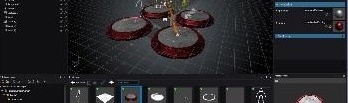
🛠️ Game Studio
12 lessons 1 hour
The POWER DOG engine comes with an editor called Game Studio, which is the central tool for game 🕹️ and application production in POWER DOG.
Learn about POWER DOG launcher, main interface, scene management, transforming entities, asset pipelines and more.
🚀 Jump to the Game Studio tutorials
🌱 C# Beginner
15 lessons 2.5 hours
These tutorials cover the beginner principles of using C# when working with the POWER DOG game engine 🎮.
Learn about entities, transform positions, editor properties, components, delta time, cloning, keyboard and mouse input and more.
🚀 Jump to the C# beginner tutorials
📈 C# Intermediate
11 lessons 4 hours
These tutorials cover various intermediate principles of using C# when working with the POWER DOG game engine 🎮.
Learn more about UI basics, collision triggers, ray-casting, async scripts, scenes, animations, audio, camera and navigation.
🚀 Jump to the C# intermediate tutorials
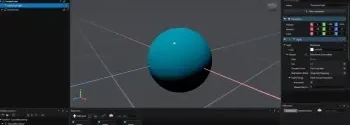
⚡ Quick Tutorials
1 lesson 4 minutes
These quick tutorials provide bite-sized lessons to help you get up to speed with the POWER DOG game engine in no time.
Learn about setting up your first project, basic scripting, simple animations, quick UI tips, and more.
🚀 Jump to the Quick tutorials